
















Mobile App at GCWIN99 in Thailand 2026
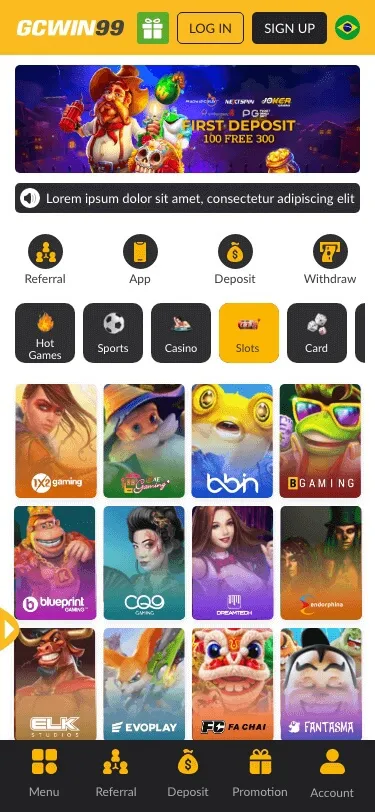
The GCWIN99 app wraps games, wallet tools, and support in one phone-friendly shell. A good install starts from the official site or store link GCWIN99 lists—not from random chat links. Use the official mobile app download page.
Download the steps to stay safe.
- Open the official GCWIN99 site from a bookmark you saved yourself.
- Tap the mobile section and follow the stated Android or iPhone path.
- Allow installs only from the prompt that matches the official file name.
- After installation, delete stray APK files you do not recognize.
Android notes
You may need to allow one install from a trusted source. Turn that setting off again afterward. Update when prompted; patches fix security holes.
iPhone notes
If the program uses a business profile, follow Apple’s trust steps exactly once. Remove profiles you no longer use.
Thai language
Check the app's settings for Thai menus. If some games stay English, that comes from the game maker, not always from GCWIN99.
Payments on mobile
PromptPay, QR, bank apps, and e-wallets should match what the desktop site offers. Never type card data over public Wi-Fi without a VPN you trust.
Security habits
- Use fingerprint or face unlock if your phone supports it.
- Do not save passwords on shared devices.
- Log out before you hand your phone to anyone.
Battery and data
Live video uses power and data. Dim the screen slightly, plug in for long sessions, and download updates on Wi-Fi.
Low power mode may reduce stream quality—check if bets still feel clear.
Notifications
Turn on account alerts, but silence noisy promo pushes if they disturb work. You can open the app when you choose.
Storage cleanup
Clear old game caches if space runs low. Low storage can crash mid-bet.
Move photos to cloud storage before big updates.
Kids
Use app locks or separate user profiles so children cannot open real-money areas.
When the app fails
Restart the phone, update the app, then try again on mobile data and Wi-Fi. If failure continues, use the official mobile site while support checks logs. Device tips sit in the FAQ.
Support
Send app version, phone model, and a short screen recording if allowed. Thai chat often helps faster when you describe steps clearly.
Responsible tools
Deposit limits and cool-off buttons belong in the app, too. Use them the same way you would on a desktop.
Pin the help page next to the app icon for fast access.
Why do we stress official files
Fake apps steal logins. If an offer looks too easy, close it.
Compare file size with past installs; tiny files are often fake.
Permissions: what to allow and why
Legit apps may ask for storage to cache games, camera only if you upload KYC photos, and notifications for account alerts. They should not ask for SMS read access to steal OTPs—if that appears on a fake APK, delete it. Review permissions after each update; vendors sometimes add new toggles.
Android sideload vs iOS profiles.
Android users often install an APK outside the Play Store; keep “unknown sources” off except during that one install. iOS builds may use enterprise or TestFlight-style flows—only trust certificates linked from GCWIN99’s official instructions. Revoke old profiles you no longer use. Summaryy
GCWIN99’s mobile path in Thailand for 2026 works best with official downloads, steady updates, Thai menus where available, and the same calm limits you would use on a computer. Reach out for help through Contact Us if the app misbehaves.
Screen readers and font size
Raise system font size if needed; most layouts should still flow on small screens.
Public Wi-Fi caution
Avoid logging in on café networks without VPN; use mobile data for short checks instead.
Backups
Screenshot important receipts; cloud sync helps if you replace your device.
Balanced use
Set app time limits in phone settings for non-work hours if playtime creeps into sleep time.
Frequently asked questions
Is the app free?
Download is usually free; you pay only when you fund play.
Can I use one account on two phones?
One account is personal; multiple devices may flag security checks.
Why does the installation fail?
Old Android versions, low storage, or blocked permissions—check each.
Can I play on a tablet?
Yes, if the app supports your mode, layouts may scale up.
Do I need the newest phone?
No, but very old models may lag on live video.
How do I report a fake app?
Tell GCWIN99 via official chat and, if listed, your app store.
What if I lose my phone?
Remote lock, change password, and call your bank if the cards were saved.
Is the desktop safer?
Both are safe with good habits; phones just need extra care in public.
Can I cast to TV?
Screen mirroring works for some games; check the delay before live bets.
Conclusion
The GCWIN99 app is safest when you install it only from the brand’s own instructions, keep it updated, lock your phone, and use the same deposit limits you would on a computer—fake apps and public Wi-Fi remain the biggest avoidable risks. App-only deals may appear on the promotions page.